AI agents are great until you realize you accidentally became their manager.
Every clarification, every obvious instruction, every tiny routing decision — suddenly the automation has a new job for you. That is not really delegation. That is a new inbox with better branding.
This is the problem I keep coming back to while building Nala. The point is not to give people more bots to babysit. The point is to build a layer that helps work move without making the user coordinate every small detail.
What is an AI agent manager?
An AI agent manager is a coordination layer between the human, the work, and the agents that can help complete it.
In plain English: it should help decide what needs to happen, which agent or workflow should handle it, what context is needed, what questions can be answered from memory, and when the human actually needs to step in.
An AI chat app answers messages. An AI agent manager helps turn intent into routed work.
The agent babysitting problem
The current agent workflow often sounds powerful on paper and annoying in real life.
You ask one agent for research. Another agent writes something. Another tool tracks the task. Another tab has the status. Then an agent asks a basic clarification that you already answered somewhere else. Now you are the glue.
That is the part I do not want users to get stuck with.
- Agents ask repetitive questions.
- Context gets spread across tools.
- Tasks become status-checking chores.
- The user becomes the project manager for the system that was supposed to help them.
What Nala is being built to do differently
The direction for Nala is simple: the user should be able to say what needs to happen, and Nala should manage more of the annoying middle.
If an agent needs clarification, it should not always jump straight to the user. It should ask Nala first.
Over time, Nala should learn the user’s standards, clients, preferences, and work style. Some questions will still need the human. But a lot of obvious stuff should be handled from context before it becomes another interruption.
Capture intent
The user talks naturally: plan this, handle that, move this task forward.
Route work
Nala turns the request into a task, agent handoff, or next action.
Escalate less
Nala answers what it can from context and asks the user only when needed.
Why the chat experience matters
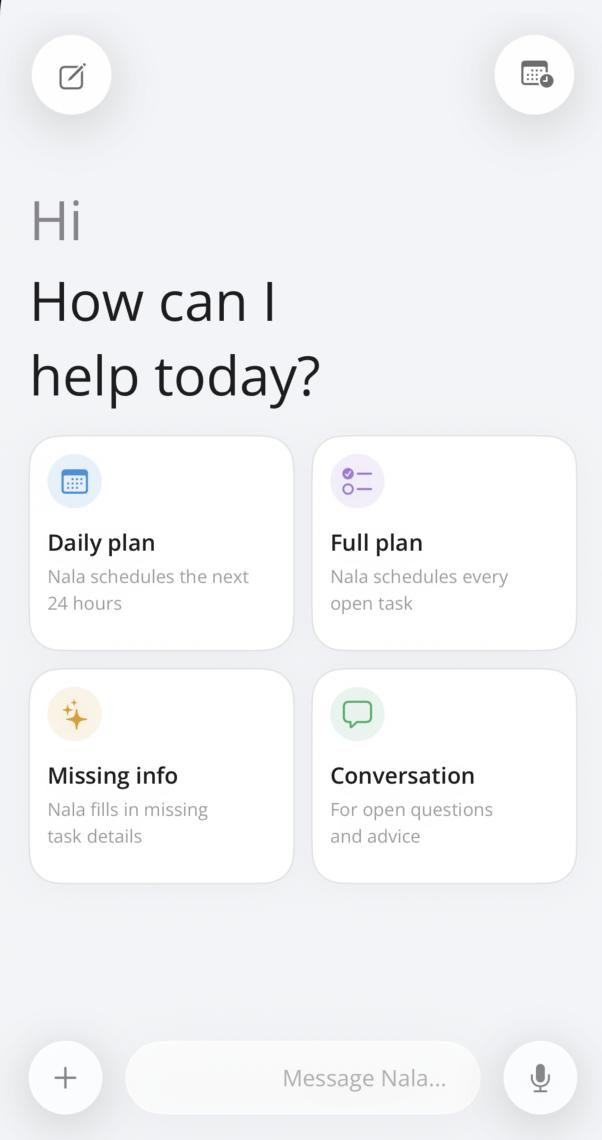
This is why the chat screen is getting so much attention right now.
Right now the work is very practical: keyboard layout, text direction, the message bar, Liquid Glass polish, and making the first screen feel clean, minimal, and useful.
If the keyboard opens and the screen jumps around, the product feels broken. If Hebrew and English text direction feels wrong, the product feels careless. If the message bar feels heavy, the whole assistant feels heavy.
None of that is AI magic. But all of it decides whether someone trusts the assistant enough to use it every day.
Nala is still pre-launch, and we are already around build 170+. That is a lot, but this is the kind of iteration that makes the product feel right before people depend on it.
AI personal assistant vs AI task manager vs AI agent manager
These terms get mixed together, so here is the practical difference:
| Type | What it usually does | What is missing |
|---|---|---|
| AI chat app | Answers questions and generates text. | It may not turn the answer into work that moves. |
| AI task manager | Stores, organizes, and reminds you about tasks. | The task can still sit there waiting for you. |
| AI agent manager | Routes tasks, manages context, handles clarifications, and coordinates agents. | This is the layer Nala is being built toward. |
Free should let people feel the product
The same idea applies to the Free and Pro model screen. I do not want the first Nala experience to feel like a pricing maze.
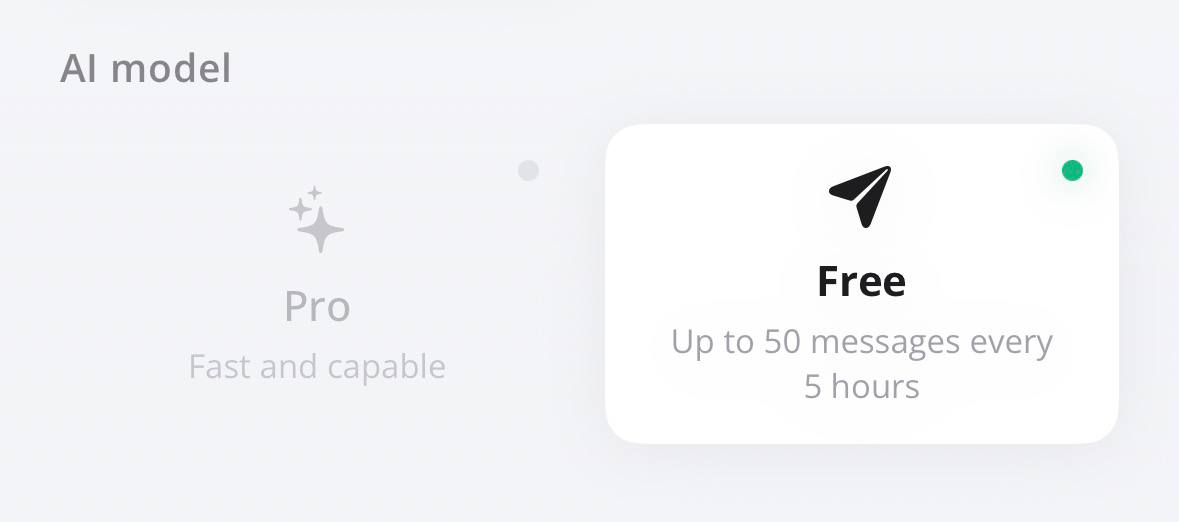
Free is there so people can try the assistant before deciding anything. The exact limits can move while the product is being tested, but the principle is simple: let someone feel the value before asking them to pay.
The first screen has one job
The first chat screen should make starting work feel obvious.
Not a blank chatbot. Not a dashboard trying to look important. A simple place to begin: plan the day, plan all open tasks, fill missing info, ask a question, or start a conversation that can become real work.
The design is starting to get the direction I wanted: super clean, minimal, and focused only on what the user needs on that screen, exactly where they need it. The job is simple: reduce friction between “I need to do this” and “this is moving.”
FAQ
What is an AI agent manager?
An AI agent manager is software that helps coordinate AI agents: routing tasks, managing context, handling clarifications, and deciding when a human needs to be involved.
Is Nala an AI chat app?
Nala uses chat, but the goal is bigger than chat. Chat is the input layer. The product direction is tasks, context, agent handoffs, and work that actually moves.
Why not let agents ask the user directly?
Sometimes they should. But if every obvious question goes back to the user, the user becomes the project manager. Nala should learn enough context to reduce those interruptions over time.
The short version
The next useful layer for AI agents is not another chat box. It is a manager: something that understands the user’s work, routes tasks, keeps context, and only asks for human attention when it really needs it.
Read more from the Nala blog →